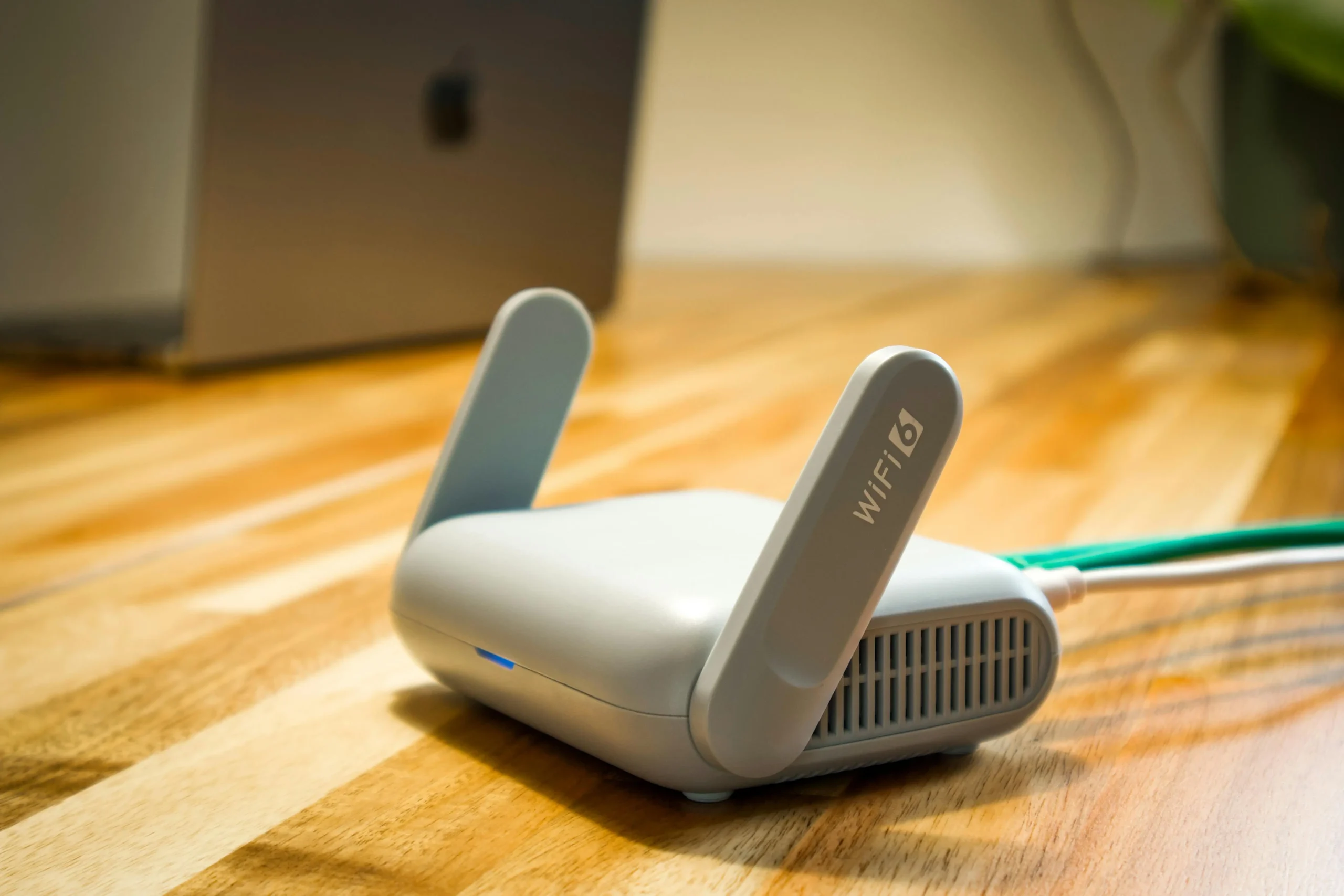
When determining which Wi-Fi setup is better, the answer depends entirely on your home layout, connected device load, and internet service plan. For most modern households, a Wi-Fi 6 or Wi-Fi 6E router utilizing dual-band or tri-band frequencies offers the best balance of speed, coverage, and value, while whole-home mesh systems are superior for larger multi-story properties.
Selecting the right wireless network technology can feel like navigating an alphabet soup of technical standards, acronyms, and hardware configurations. As internet service providers (ISPs) push multi-gigabit speeds directly to residential homes, traditional routers supplied by cable or fiber companies often fail to deliver those maximum speeds wirelessly to every room. Understanding the differences between Wi-Fi generations, frequency bands, and modern hardware architectures ensures that you invest in a network capable of handling streaming, gaming, remote work, and smart home automation without frustrating lag or dead zones.
Understanding Wi-Fi Generations: Wi-Fi 5 vs. Wi-Fi 6 vs. Wi-Fi 7
The Institute of Electrical and Electronics Engineers (IEEE) and the Wi-Fi Alliance continually update wireless standards to maximize data throughput, reduce latency, and efficiently manage congested airspace. To determine which Wi-Fi standard is better for your environment, you must examine how these generations perform under real-world loads.
Wi-Fi 5 (802.11ac)
Introduced commercially in 2014, Wi-Fi 5 was a watershed moment for wireless networking, introducing multi-user MIMO (MU-MIMO) for downlink data streams and operating exclusively on the 5 GHz band. While still functional for basic web browsing and single-device high-definition streaming, Wi-Fi 5 struggles in modern smart homes packed with dozens of connected devices. Its maximum theoretical speeds hover around 3.5 Gbps, but practical throughput is significantly lower due to interference and distance limitations.
Wi-Fi 6 (802.11ax) and Wi-Fi 6E
Wi-Fi 6 transformed wireless networking by focusing on efficiency in crowded environments rather than just raw speed. It introduced Orthogonal Frequency-Division Multiple Access (OFDMA) and Target Wake Time (TWT), which allow routers to communicate with multiple devices simultaneously while preserving battery life on smartphones and Internet of Things (IoT) sensors.
Wi-Fi 6E expands upon this standard by opening up the uncongested 6 GHz frequency band. Traditional 2.4 GHz and 5 GHz bands suffer from interference from neighboring networks, Bluetooth devices, and household appliances. The 6 GHz band acts like a multi-lane superhighway with zero legacy traffic, making it exceptional for competitive gaming, virtual reality, and uncompressed 4K video streaming.
Wi-Fi 7 (802.11be)
Representing the cutting edge of wireless technology, Wi-Fi 7 doubles channel widths up to 320 MHz and introduces Multi-Link Operation (MLO), allowing devices to transmit and receive data across multiple frequency bands simultaneously. While Wi-Fi 7 routers and compatible client devices are widely available in 2026, they command a significant price premium. They are primarily beneficial for power users with fiber-optic connections exceeding 1 Gbps and heavy local network data transfers.
| Wi-Fi Generation | Primary Frequencies | Max Theoretical Speed | Key Technology Advantage | Best Suited For |
|---|---|---|---|---|
| Wi-Fi 5 (802.11ac) | 2.4 GHz, 5 GHz | Up to 3.5 Gbps | MU-MIMO (Downlink) | Budget setups, legacy devices |
| Wi-Fi 6 (802.11ax) | 2.4 GHz, 5 GHz | Up to 9.6 Gbps | OFDMA, TWT, BSS Coloring | Smart homes, high device density |
| Wi-Fi 6E | 2.4 GHz, 5 GHz, 6 GHz | Up to 9.6 Gbps | Uncongested 6 GHz channels | Interference-heavy areas, VR, gaming |
| Wi-Fi 7 (802.11be) | 2.4 GHz, 5 GHz, 6 GHz | Up to 46 Gbps | Multi-Link Operation, 320 MHz channels | Multi-gigabit internet, power users |
Frequency Bands Explained: 2.4 GHz vs. 5 GHz vs. 6 GHz
When evaluating network performance, raw hardware specifications mean little if the chosen frequency band cannot penetrate your home environment. Each frequency band possesses distinct physical characteristics regarding range, obstacle penetration, and data capacity.
The 2.4 GHz Band
The 2.4 GHz band is the marathon runner of wireless frequencies. It offers exceptional range and easily penetrates thick concrete walls, brick, and heavy furniture. However, it suffers from severe bandwidth limitations and extreme congestion. Because 2.4 GHz only has three non-overlapping channels (1, 6, and 11), it frequently interferes with neighboring Wi-Fi networks, microwave ovens, baby monitors, and Bluetooth accessories. It is best reserved for smart home devices, security cameras, and smart plugs that require distance and reliability over high-speed data transfer.
The 5 GHz Band
The 5 GHz band is a sprinter. It delivers significantly faster data rates and features many more non-overlapping channels, drastically reducing interference. The trade-off is shorter physical range and poorer wall penetration compared to 2.4 GHz. High-frequency radio waves are easily attenuated by physical barriers, meaning performance drops sharply the further you move from the router or if multiple walls obstruct the signal path.
The 6 GHz Band
Exclusive to Wi-Fi 6E and Wi-Fi 7 devices, the 6 GHz band provides massive channel capacity and completely avoids the noise and congestion plaguing legacy frequencies. Because it is a brand-new spectrum, routers and clients do not have to share airspace with older, slower devices. While its range is even shorter than the 5 GHz band, the sheer volume of available wide channels makes it the definitive choice for high-bandwidth activities when you are in the same room or have a clear line of sight to the access point.
Traditional Routers vs. Mesh Wi-Fi Systems
Hardware architecture dictates how your wireless signal blankets your living space. Choosing between a traditional standalone router and a multi-node mesh system depends entirely on your home's square footage and architectural layout.
Traditional Routers
A standalone wireless router acts as a central hub for your home network. Modern high-end routers feature powerful multi-core processors, robust onboard software, and external high-gain antennas that can comfortably cover small to medium-sized apartments or homes under 1,500 square feet.
Pros:
- Lower initial hardware cost.
- Advanced configuration options, granular Quality of Service (QoS) controls, and open-source firmware compatibility (such as DD-WRT or OpenWrt).
- Higher maximum throughput on single-client connections.
Cons:
- Signal degrades rapidly through walls and across multiple stories.
- Creates dead zones in larger or irregularly shaped homes.
- Range extenders often cut bandwidth in half because they repeat signals sequentially rather than simultaneously.
Mesh Wi-Fi Systems
Mesh systems consist of a primary router and one or more satellite nodes placed strategically throughout your home. All units broadcast a single, seamless Wi-Fi network name (SSID), allowing your devices to roam freely from room to room without dropping connections or requiring manual reconnection.
Pros:
- Seamless whole-home coverage eliminating dead zones.
- Dedicated wireless backhaul (in tri-band systems) or wired Ethernet backhaul maintains maximum speeds across all nodes.
- Simple smartphone app-based setup and automated firmware updates.
Cons:
- Higher upfront expense.
- Fewer advanced networking configurations and port-forwarding options for power users.
- Potential over-saturation of wireless airspace in smaller homes.
Factors to Consider When Choosing Your Wi-Fi Setup
To pinpoint which setup is genuinely better for your specific household, evaluate the following practical variables before making a purchase:
- Internet Service Provider (ISP) Plan Speed: If you pay for a 300 Mbps fiber connection, purchasing an ultra-expensive Wi-Fi 7 router yields zero performance gains over a competent Wi-Fi 6 router. Conversely, multi-gigabit connections (1 Gbps to 5 Gbps) require Wi-Fi 6E or Wi-Fi 7 hardware equipped with multi-gigabit Ethernet ports (2.5 Gbps or 10 Gbps) to avoid hardware bottlenecks.
- Square Footage and Construction Materials: Plaster walls containing wire mesh, concrete foundations, and brick fireplaces severely degrade 5 GHz and 6 GHz signals. Homes exceeding 2,500 square feet or spanning multiple vertical floors almost always require a mesh network or wired access points.
- Device Density: A retired couple with two smartphones and a smart TV has vastly different network demands than a family of five running remote work computers, multiple gaming consoles, tablets, and forty smart home IoT devices. High-density environments benefit immensely from the OFDMA and MU-MIMO capabilities found in Wi-Fi 6 and newer standards.
Frequently Asked Questions
Is Wi-Fi 6E better than Wi-Fi 7?
Wi-Fi 7 is technologically superior to Wi-Fi 6E in terms of raw speed, channel width, and latency reduction via Multi-Link Operation. However, Wi-Fi 6E remains an exceptional, cost-effective alternative for most users because compatible Wi-Fi 7 client devices and routers remain expensive, and very few residential internet connections saturate the upper limits of Wi-Fi 7 capabilities.
Do I need a mesh system for a 2,000-square-foot home?
Not necessarily. A high-performance standalone Wi-Fi 6 or Wi-Fi 6E router placed in a central location can easily cover a 2,000-square-foot home. A mesh system is only recommended if your home has thick interior concrete walls, multiple floors that block signals, or an awkward layout that isolates certain rooms.
Does upgrading my router make my internet faster?
A new router cannot exceed the maximum download and upload speeds provided by your ISP plan. However, upgrading from an outdated router (such as Wi-Fi 4 or early Wi-Fi 5) to a modern Wi-Fi 6 router often eliminates internal network bottlenecks, reduces local latency, and delivers your full ISP bandwidth wirelessly to your devices.
Should I connect smart home devices to 2.4 GHz or 5 GHz?
Most smart home devices, smart plugs, and security cameras only contain 2.4 GHz Wi-Fi radios because they prioritize physical range and low power consumption over high data speeds. Connecting them to the 2.4 GHz band also leaves the faster 5 GHz and 6 GHz bands completely uncongested for bandwidth-heavy devices like laptops and streaming boxes.
Conclusion and Recommendations
Determining which Wi-Fi configuration is better comes down to matching hardware capabilities to your living space and digital habits. If you live in a smaller home or apartment under 1,500 square feet with moderate device usage, a mid-range Wi-Fi 6 standalone router provides exceptional speed and reliability without breaking the bank. If you struggle with persistent dead zones in a large, multi-story home, invest in a dual-band or tri-band mesh Wi-Fi system. For enthusiasts with multi-gigabit fiber connections and heavy local data transfer needs, Wi-Fi 6E or Wi-Fi 7 hardware delivers the ultimate wireless performance available today. Assess your physical floor plan, check your ISP bandwidth limits, and select the generation that bridges your connectivity gaps efficiently.
Image Gallery
Select an image to open it in a new tab.



Felix Mercer
Transnational Learning Reporter
